Print farm monitoring
One dashboard for every 3D printer you own
See what every printer is doing, what is loaded and what each print costs, on your phone, your computer or a screen on the wall.
Live status from the printers themselves
Run the free SpoolBoss Connector on a Windows computer on the same network. It finds your printers and reports what each one is doing every minute. It reads from your printers, and only sends a file to one when you ask.
| Printer | What it reports |
|---|---|
| Klipper with Moonraker (Voron, Creality K1, Sovol, Snapmaker U1) | Status, progress, time left, layers, filament used, loaded filament, its own queue and finished prints |
| Bambu Lab (with the access code from the printer) | Status, progress, time left, layers and what is loaded in the AMS |
| FlashForge (LAN mode on) | Status, progress, layers and what is loaded in each slot |
| Prusa (PrusaLink), OctoPrint and others | Found and added automatically; tracked from the jobs you log |
Mixed brands, one view
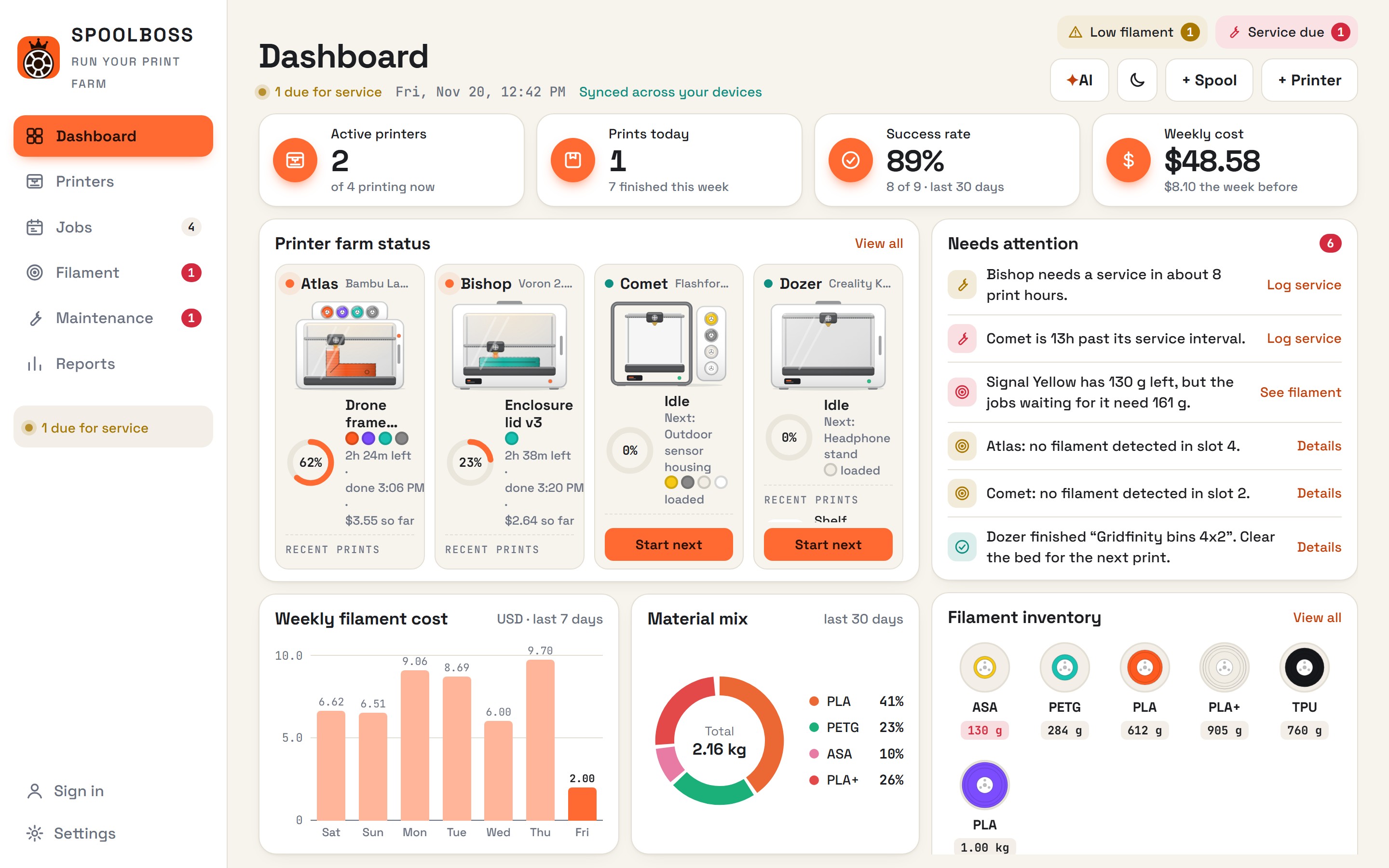
Most farms grow one printer at a time, and rarely all from one maker. SpoolBoss puts them side by side: the same tile shows progress, time left, the file name and the colours loaded, whichever brand it is.
On the wall, hands-free
The SpoolBoss Connected Display is a screen for your workshop that shows the dashboard all day. Turn it on, enter the code it shows on your phone, and it joins your farm. It is $249 plus $5.99 a month; the app itself is free.
More than a status page
The same app keeps your print queue, filament stock, maintenance schedule and costs, and has AI helpers for diagnosing failed prints and answering questions about your farm.
Common questions
How do I monitor multiple 3D printers at once?
Use one dashboard that every printer reports to. SpoolBoss shows each printer as a tile with its status, progress, time left and loaded filament, and the free Connector keeps those tiles up to date from printers on your network.
Does SpoolBoss control my printers?
Only when you ask. It watches and records by default. With Send a print you can pass a sliced file to a Klipper or FlashForge printer, and start it on Klipper printers after confirming the bed is clear. It never stops or changes a running print.
Which 3D printers does it work with?
Any printer can be added by hand. Live status works with Klipper printers running Moonraker (such as Voron, Creality K1, Sovol and Snapmaker U1), Bambu Lab printers using their access code, and FlashForge printers in LAN mode.