Printers dashboard
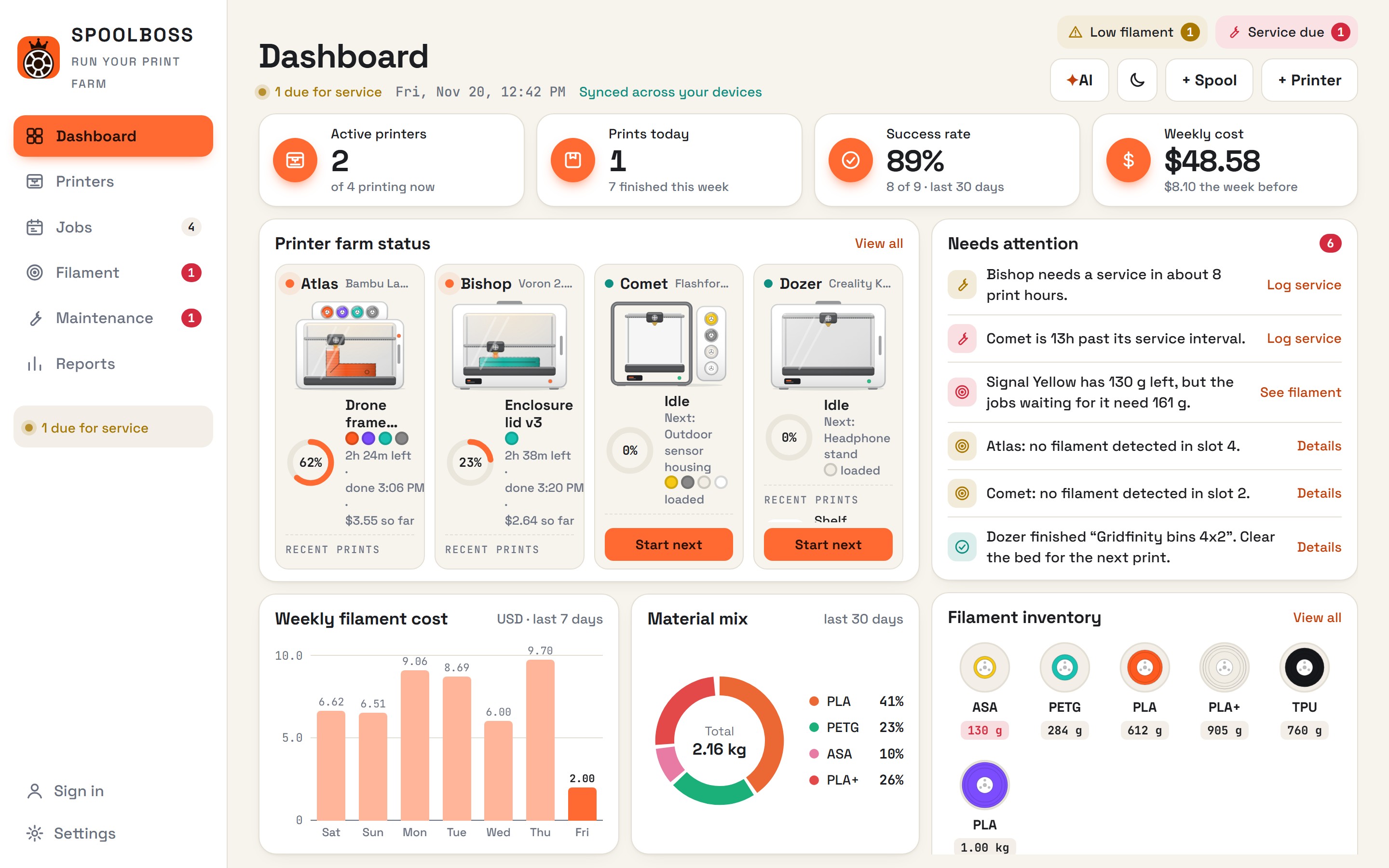
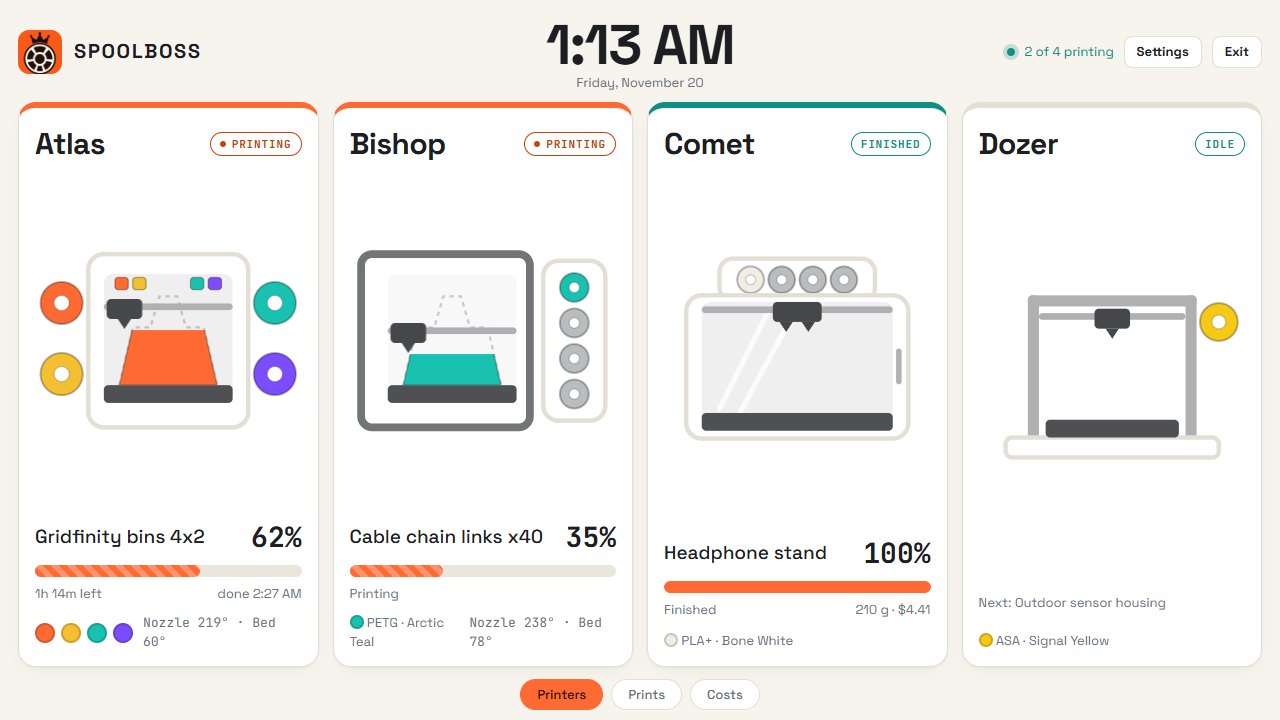
Every printer on one screen: printing, idle or offline. Each card shows the current job with its progress and time left, the spool that's loaded and how much is on it, and the hours left until the next service.
3D printer farm tracker
SpoolBoss keeps track of your 3D printers, the jobs waiting for them, every spool of filament and what it cost, and when each machine is due for a service.
● A look inside
01 What it does
Which printer is doing what, what's next, how much filament is left, and which machine needs attention. SpoolBoss keeps all four in one place.
Every printer on one screen: printing, idle or offline. Each card shows the current job with its progress and time left, the spool that's loaded and how much is on it, and the hours left until the next service.
Line up jobs for each printer with the time and filament your slicer estimates. Move jobs up or down the line and start the next one with a tap. SpoolBoss warns you when the loaded spool doesn't have enough left for the job.
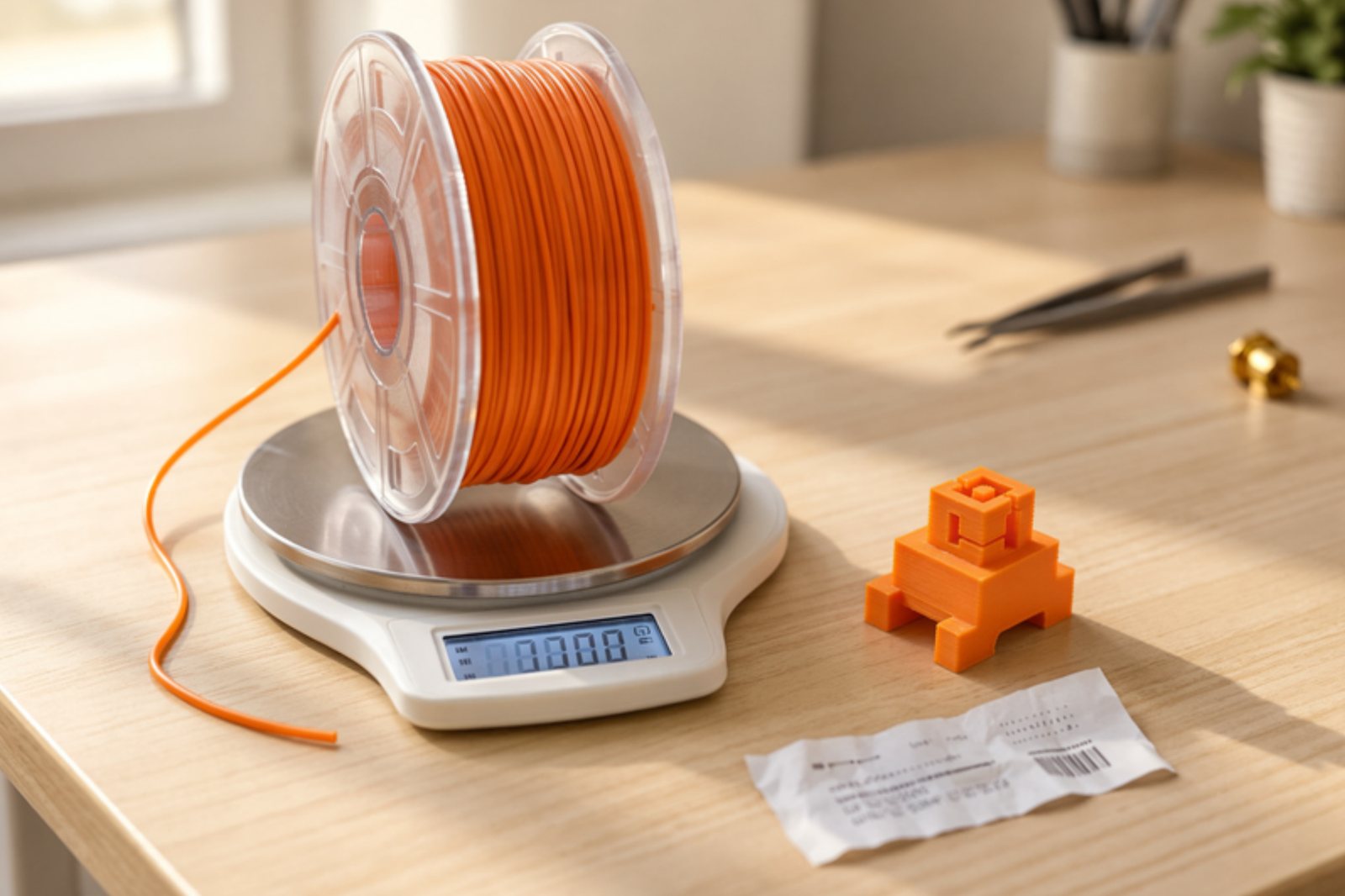
Keep every spool with its colour, material, brand, size and the price you paid. When a job is done you enter the grams it really used; SpoolBoss takes them off the spool and adds the cost to your totals, per printer and overall.
Give each printer a service interval in print hours. Every finished job adds its hours, and the countdown turns amber when a service is close and red when it's overdue. Log the service with a note and the counter starts again.
The small examples above are illustrations. Your own dashboard fills in as you add printers, or as the printer finder adds them for you.
02 Printer finder
A web page isn't allowed to look around your home network, so the looking is done by a helper that sits on the same Wi-Fi as your printers. What it finds is added to your farm by itself.
On a Windows computer
A small program you download from the app. Sign in to it with your SpoolBoss account and click Find my printers. The printers on your network are added to your farm and show up on every device. Leave it open and it keeps your farm live: what each printer is doing is sent every minute, and new printers are picked up by themselves. The computer has to stay on for the live feed.
No computer needed
The display reads your printers itself. Connect it once with a code from the app and it keeps your farm live all day and all night, with every computer in the house switched off. See the display.
Phone app · coming soon
The Android and iPhone apps have the finder built in: they look when the app opens, every 5 minutes while it's open, and whenever you tap the button. The phone finds printers; keeping the live feed going is the job of the Connector or the Connected Display. The Android app is in review at Google Play; the iPhone app follows.
03 Sync
Create a free account and sign in on your computer, phone and tablet. Your farm follows your account, and a change made on one device shows up on the others within seconds.
Already have a private sync code? It still works. Enter the same code on every device under Sync devices, or link it to your account once. Treat a sync code like a password: anyone who has it can see and change the farm.
04 Offline and on your phone
After you've opened SpoolBoss once, it keeps a copy of itself on the device. It opens and works without a connection, and your farm is saved right there.
Android
Tap Install app in SpoolBoss, or open Chrome's ⋮ menu and choose Add to Home screen.
iPhone and iPad
Tap Share, then Add to Home Screen. SpoolBoss gets its own icon and opens full screen.
Apps for Google Play and the App Store are prepared but not published yet: coming soon. Installing from the browser works today.
05 Get started
You don't need an account to start. Open the app and add your first printer, or let the printer finder add the ones on your network.
Create a free account, then choose Find my printers. On a Windows computer a small helper finds the printers on your network and adds them. You can also add printers by hand, and your spools with their colour, material, size and price.
Add jobs, start them, and tap Mark done when a print comes off the bed. SpoolBoss updates the spool, the cost and the service countdown for you.
$ Pricing
Free

$249 for the display
+ $5.99 per month to use it
$249 today, then $5.99 a month for the display service; cancel the service any time. Ships within the United States. Secure checkout by Stripe; the seller appears as Aptaloom. The app itself stays free whether or not you have a display.
Thank you, your order is in. A receipt is on its way to your email.
06 Questions
Not to use SpoolBoss. Open the app and start. An account is only for having the same farm on more than one device. It's free and needs an email address and a password; you confirm the address with a code sent by email.
Only for the live feed. Your printers talk on your home network, so something on that network has to read them and pass it on. There are two ways. One: leave a Windows computer on with the free SpoolBoss Connector open. When that computer is off or asleep, the app still works, but live progress, loaded filament and automatic print logging pause until it is back. Two: the SpoolBoss Connected Display. It reads your printers itself, all day, so the live feed keeps going with every computer switched off. Everything you enter yourself, such as spools, jobs, costs and maintenance, works either way.
It watches them live, and it can send a print when you ask. Keep the free SpoolBoss Connector open on a Windows computer on the same network as your printers (minimised is fine, and it can start with Windows), or use a SpoolBoss Connected Display, which does the same job by itself, and your farm shows what each printer is doing, updated every minute. Printers running Klipper with Moonraker, such as Voron, Creality K1, Sovol and Snapmaker U1, report progress, time left, loaded filament and the prints they finish. Bambu Lab and FlashForge printers report status and loaded filament once you enter the code from the printer's screen. With Send a print you can pass a sliced file to a Klipper or FlashForge printer, and start it on a Klipper printer after confirming the bed is clear. SpoolBoss never stops or changes a print that is running. Sign in to the Connector with your email and password, or, if you use Google sign-in, connect it with a short code from the app.
Any printer: you can add every make and model by hand. The printer finder (a small download for Windows computers) recognises Bambu Lab, Prusa (PrusaLink), Klipper with Moonraker (such as Voron, Creality K1 and Sovol), OctoPrint and FlashForge. Prusa and OctoPrint printers show up with a general name until you rename them.
Yes, it is included with a free account. To keep it fair there is a daily limit per account: 10 print diagnoses, 40 questions and 20 quote messages. The AI reads your farm’s numbers to answer you. Photos and questions are not kept after they are answered.
From the price you paid for the spool and its size. A 1 kg spool that cost $24.99 means every gram printed costs about 2.5 cents. When you mark a job done, the grams it used are multiplied by that rate and added to your totals. Costs are shown in US dollars.
Tap Sign in in the app and create an account, then sign in with the same account on your phone. What's already on each device is added to the shared farm. If you were given a private sync code instead, enter it under Sync devices. And without either, Back up and Restore carry a farm to another device as a file.
SpoolBoss keeps working. Everything you change is saved on the device. If sync is on, the changes are sent the next time you're online.
Not yet. Android and iPhone apps are prepared and coming soon. Today you can install SpoolBoss on a phone straight from the browser, and it behaves like an app with its own icon.
Your farm is saved in the browser on your device, so clearing that browser's site data would remove it. Use Back up now and then to save a copy as a file, or sign in so the farm also lives in your account and on your other devices.

New SpoolBoss AI
Four helpers built into the app, behind the ✦ AI button. Free with your account, with a fair daily limit.
What did I spend on filament this month?
$13.61 this month, across 7 prints and 680 g of PLA.
Which printers are free right now?
Two are idle: the Bambu has ASA and PLA loaded, the AD5X has PLA and PETG.
An example. Your answers come from your own farm.
Take a photo of a print that went wrong. It names the problem, lists the likely causes and tells you what to change, in order.
Ask in plain words about your printers, filament, queue and costs, and get a short answer from your own numbers.
A headline and a few points each week: what printed, what it cost, what failed and which printer is due for service.
Enter grams and hours from your slicer. SpoolBoss works out a fair price from your real filament costs and writes the message to your customer.
Blog Guides for people who print
Print qualityMost failed prints fail in the first five minutes. How to read your first layer and what to change.
MoneyThe full sum, a worked example, the costs people forget, and how to price a print for someone else.
UpkeepCount print hours, not calendar days. Short lists of jobs at 50, 200 and 500 hours.
07 Privacy, in short