Guides / Upkeep
A printer maintenance schedule you will actually follow
Count print hours, not calendar days. A short list of jobs at 50, 200 and 500 hours keeps a printer boring in the best possible way.
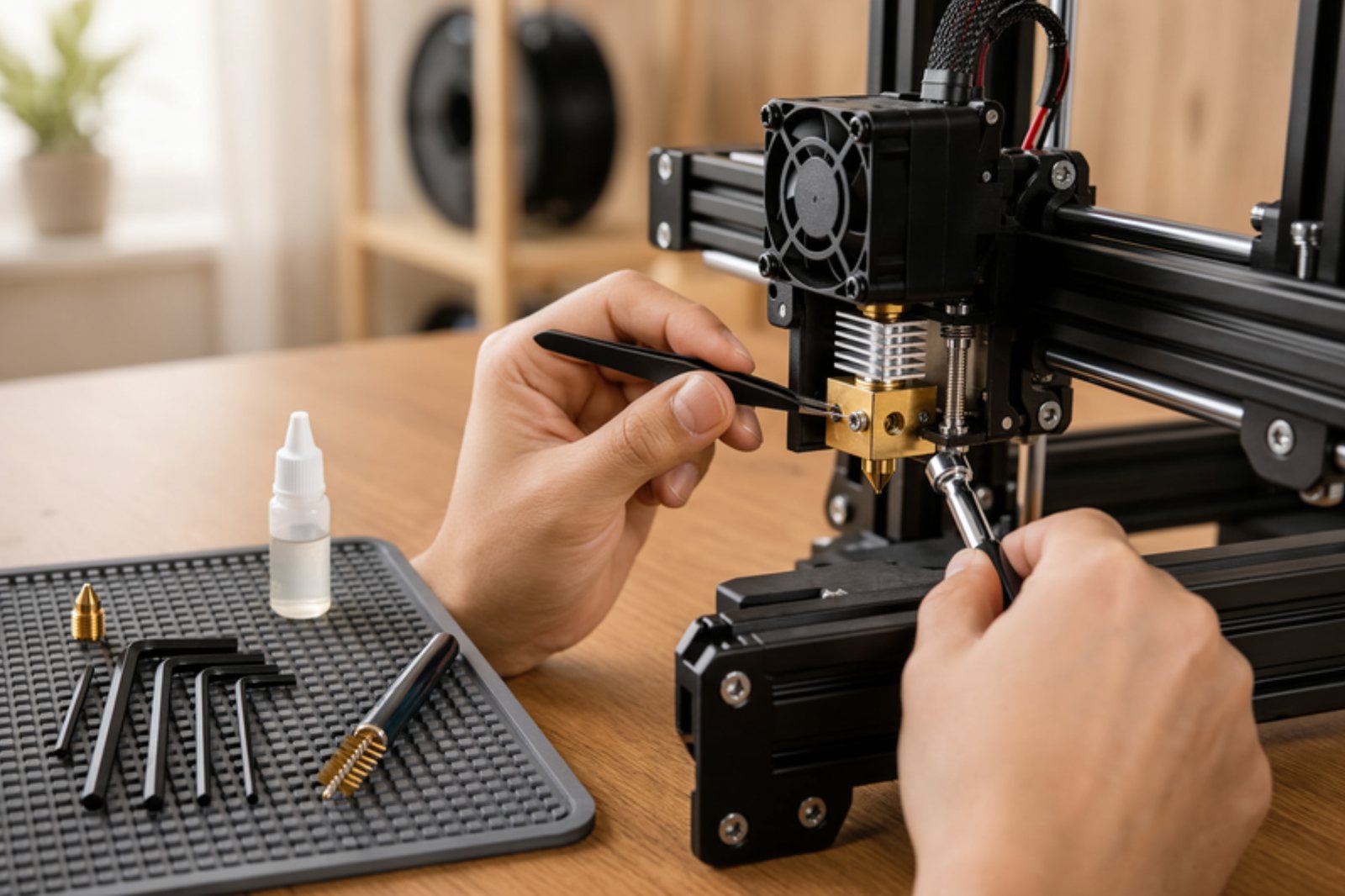
Printers rarely fail without warning. They drift. A belt loosens a little each week, a nozzle slowly wears wider, dust collects on a rod. None of it stops a print today; all of it shows up later as ringing, under-extrusion or a layer shift at hour eleven. A light routine catches every one of these early.
Why hours beat dates
A printer that ran 300 hours this month needs more care than one that ran 10. "The first Sunday of the month" treats them the same. Counting hours since the last service is fairer, and it is the only thing that works once you have several machines with very different workloads.
| When | Time needed | What you are doing |
|---|---|---|
| Every 50 print hours | 5 minutes | Cleaning: bed, nozzle, a quick look |
| Every 200 print hours | 20 minutes | Checking: belts, screws, fans, motion |
| Every 500 print hours | About 1 hour | Replacing: nozzle and worn parts, then calibrate |
Every 50 print hours: clean
- Wash or wipe the build plate. Soap and water for a proper clean, isopropyl alcohol between prints.
- Brush the nozzle with a brass brush while it is warm, so old plastic does not drag through the next print.
- Clear debris from under the bed and around the belts. Stray strings find their way into pulleys.
- Watch one first layer closely. It is the cheapest diagnostic you have.
Every 200 print hours: check
- Belt tension. A belt should feel firm and give a low note when plucked. Slack belts cause ringing and layer shifts.
- Frame and wheel screws. Vibration loosens them. Go round once with a hex key; snug, not tight.
- Fans. Check the hotend and part-cooling fans spin freely and are not full of fluff. A stalled hotend fan causes heat creep and clogs.
- Motion. With the motors off, move each axis by hand. It should feel smooth all the way. Gritty spots mean dirt on a rod or rail.
- Clean and re-lubricate rods, rails and lead screws with what your manufacturer recommends. Wipe the old lubricant off first.
- Extruder gears. Brush out the plastic dust that packs into the teeth.
Every 500 print hours: replace and calibrate
- Fit a new nozzle. Sooner if you print abrasive filament. Change it hot, following your printer's instructions.
- Inspect the PTFE tube if your hotend has one. Replace it if the end is browned or deformed.
- Check wiring where it flexes, especially at the toolhead and bed.
- Update firmware if the manufacturer has released fixes you need.
- Run calibration prints and keep them. Comparing this service's cube with the last one shows drift you would never notice day to day.
The goal of maintenance is a boring printer: one that does the same thing today as it did last month.
Signs you should not wait
| Symptom | Likely cause | First thing to check |
|---|---|---|
| Wavy echoes after corners (ringing) | Loose belt or frame | Belt tension, frame screws |
| Thin or missing lines | Partial clog or worn nozzle | Cold pull, then a new nozzle |
| Layers shifted sideways | Slipping belt or pulley | Pulley grub screws, belt tension |
| Clicking extruder | Clog, or nozzle too close on layer one | Z offset, hotend temperature |
| Louder than it used to be | Dry rods or a failing fan | Lubrication, fan bearings |
Make it automatic
The hard part is not the work; it is remembering. In SpoolBoss each printer has a "service every N hours" setting and a bar that fills as it prints. When the bar is full the printer appears under Needs attention, and one tap logs the service with today's date and resets the count. Your maintenance history is there the next time something feels off.
Common questions
How often should I service my 3D printer?
Go by print hours. A quick clean every 50 hours, a mechanical check every 200 hours and a deeper service with a new nozzle around every 500 hours suits most desktop printers.
How long does a nozzle last?
A brass nozzle typically lasts several hundred hours with plain PLA or PETG. Abrasive filaments such as carbon-fibre, wood-fill or glow-in-the-dark wear brass much faster; use a hardened steel nozzle for those.
Should I lubricate my 3D printer?
Yes, lightly, and with what the manufacturer recommends. Smooth rods and lead screws usually take a light machine oil or lithium grease; linear rails take a small amount of grease. Wipe off the old, dirty lubricant first.