Guide · 3 min
Connect a wall display
Put the dashboard on a screen in your workshop. Nobody signs in on the display itself.
- 01
Turn the display on
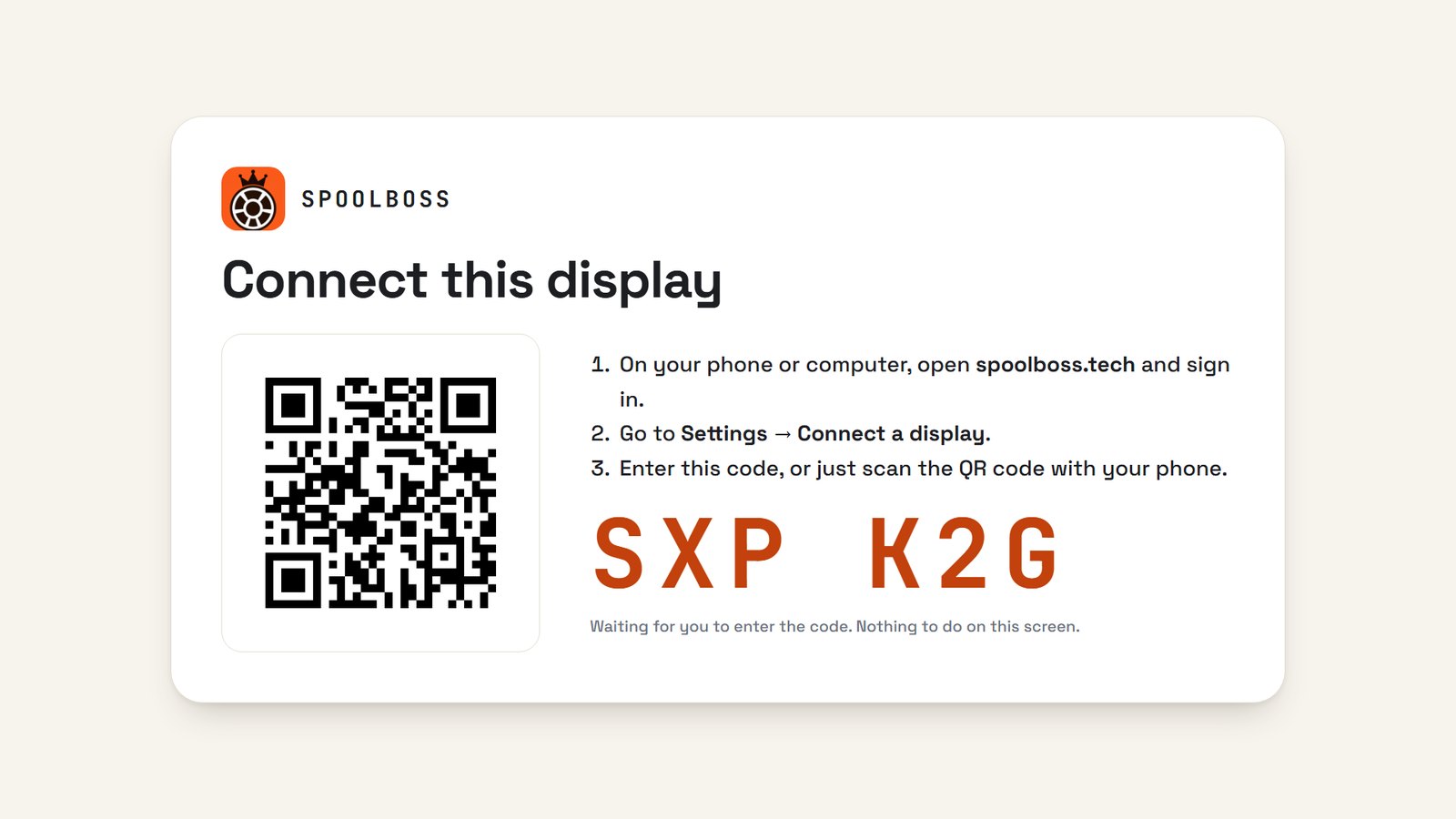
A SpoolBoss display that is not connected yet shows a 6-letter code and a QR code.
- 02
Open Connect a display
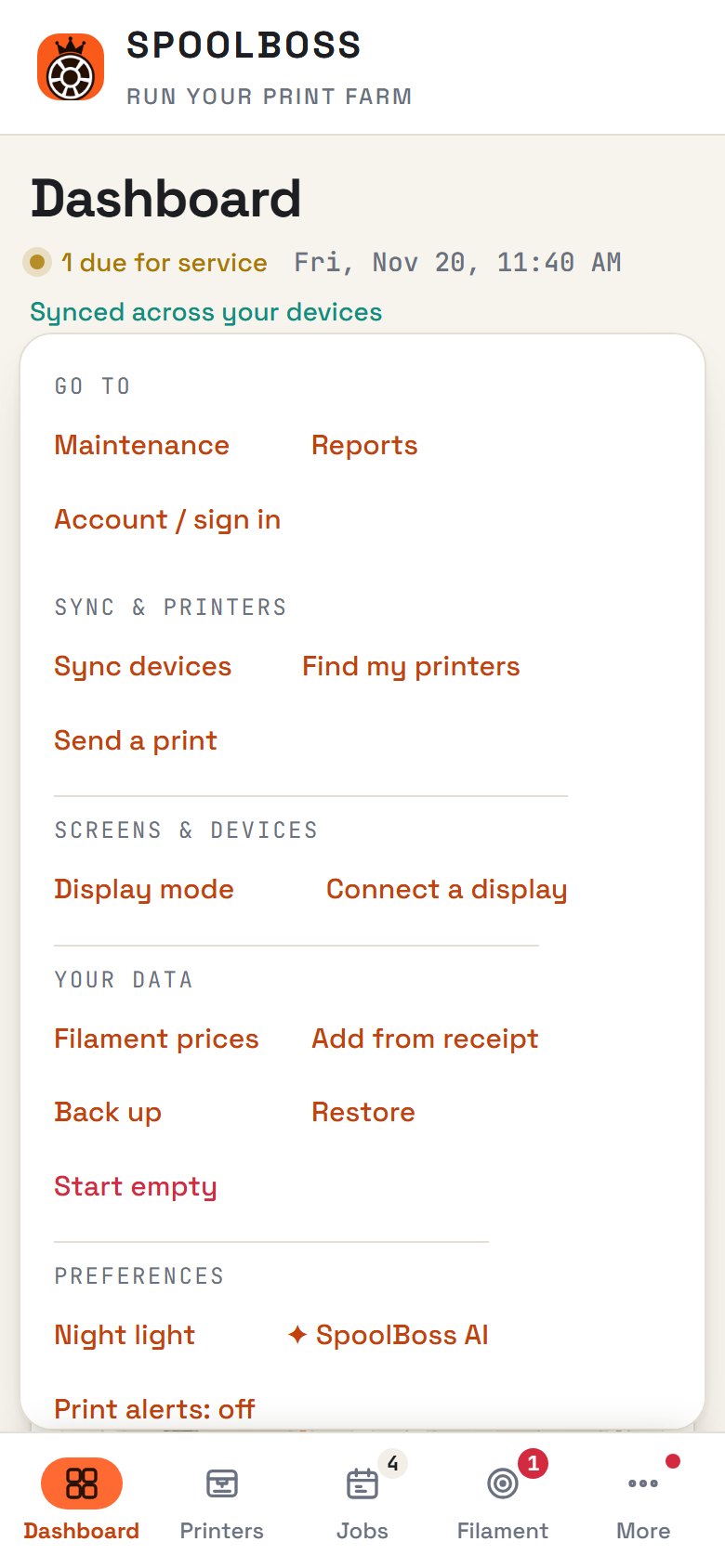
On your phone or computer, sign in to SpoolBoss and go to Settings → Connect a display. Or simply scan the QR code with your phone.
- 03
Enter the code
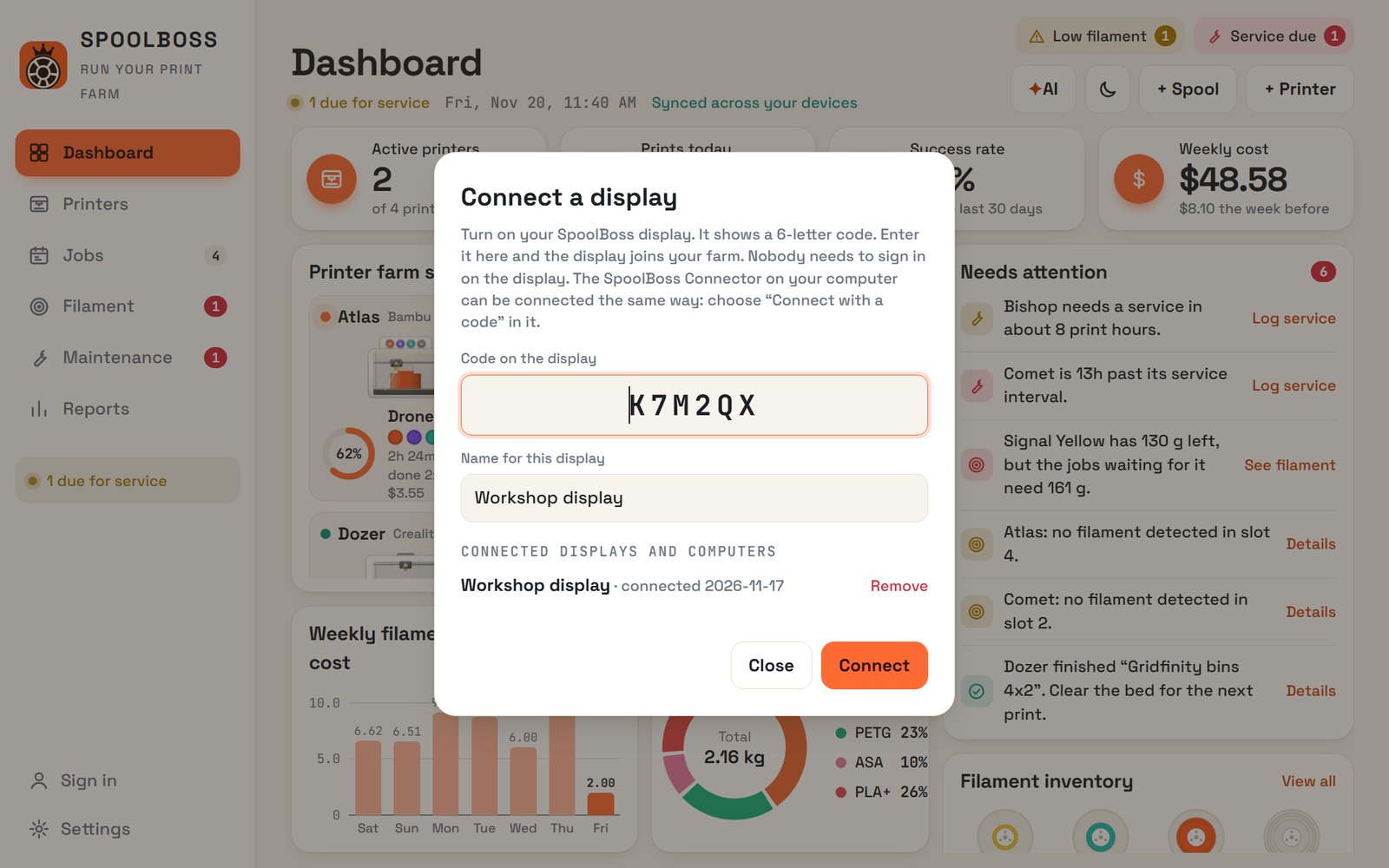
Type the code, give the display a name such as "Workshop", and press Connect. The display shows your farm a few seconds later.
- 04
Manage your displays
The same dialog lists every connected display with a Remove button. A removed display goes back to showing a code.
Next guide: Track filament and add spools from a receipt